


Someone searching for a therapist rarely wants to spend the next two hours comparing every practice in the city.
They want to know:
- Is this practice nearby?
- Does it offer the kind of therapy I need?
- Does it accept my insurance or offer private-pay appointments?
- Can I trust it?
- How do I contact someone?
A Google Business Profile can answer those questions before the person even visits your website.
It is the listing that may appear in Google Search and Google Maps when someone searches for phrases such as “therapist near me,” “couples counseling in Dallas,” or “EMDR therapist in Albuquerque.” Google used to call it Google My Business, which is why you will still see both names used online.
For an eligible therapy practice, it can be one of the most valuable free pieces of local marketing available. But setting one up incorrectly can lead to verification problems or a suspended profile.
This guide explains how to create and improve a Google Business Profile for a therapy practice without using tactics that put the listing, or client privacy, at risk.
Should Therapists Have a Google Business Profile?
Usually, yes, if the practice is eligible.
A complete profile can help a therapy practice:
- Appear in Google Search and Maps
- Compete for local “near me” searches
- Display its phone number, hours, website, address, and appointment link
- Show potential clients its office, team, and services
- Collect profile activity data such as calls and website clicks
- Give people a direct path from searching to contacting the practice
This matters because the local map results often appear above traditional website results. Even a well-designed website can be overlooked if competing practices occupy the map results and your practice does not have a profile.
However, a Google Business Profile is not available to every therapist.
First, Make Sure Your Practice Is Eligible
Google currently requires an eligible business to have in-person contact with customers during its stated hours. That usually makes the following therapy practices eligible:
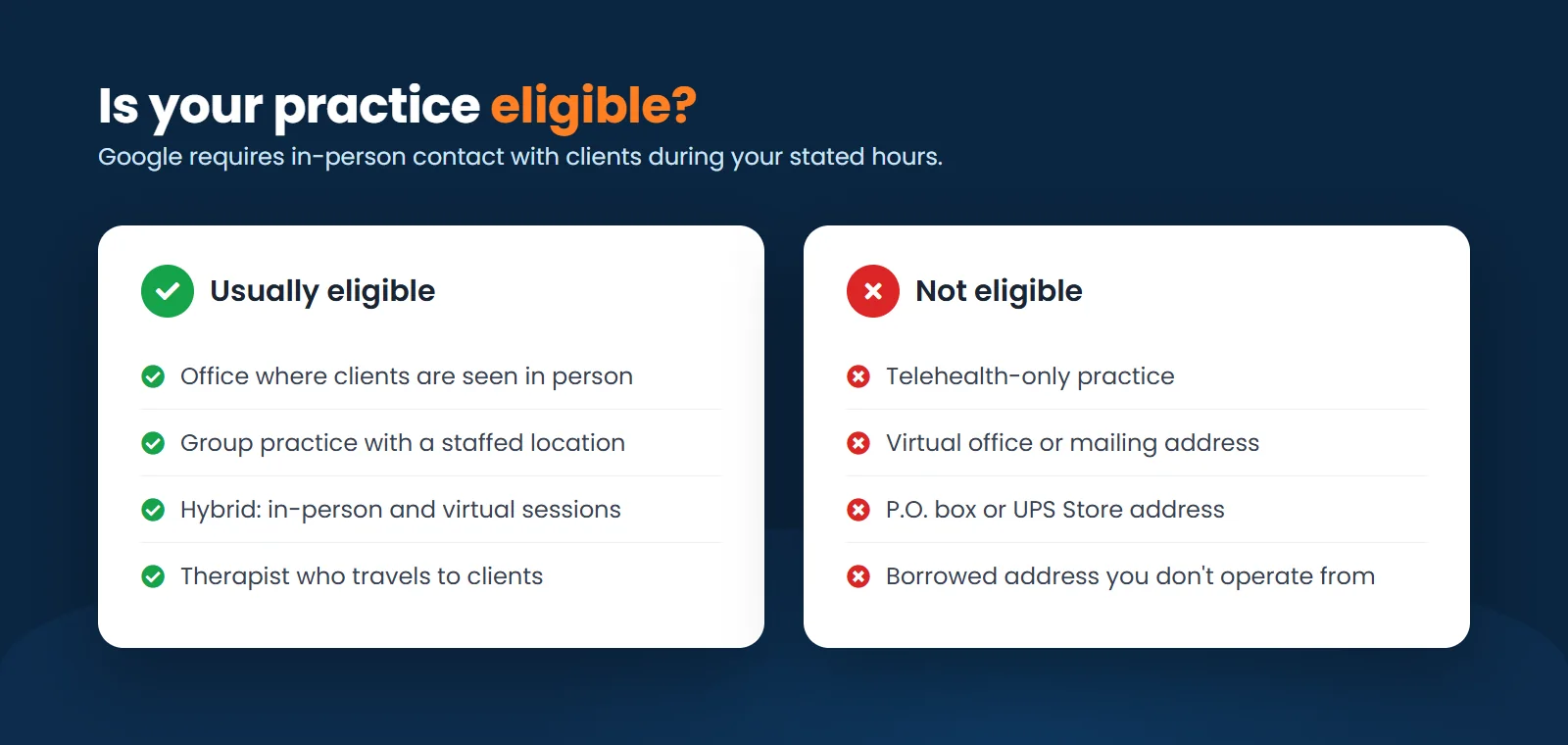
- A therapist who sees clients at a real office
- A group practice with a staffed location where clients receive care
- A hybrid practice that offers both in-person and virtual therapy
- A therapist who travels to clients and qualifies as a service-area business
A telehealth-only practice that never meets clients in person is generally not eligible. Being licensed to serve clients throughout a state does not create a physical location in every city, and a service area is not a workaround for an online-only business.
Google’s Business Profile eligibility guidelines specifically exclude online-only businesses.
Can you use a virtual office?
Usually not.
Google does not consider a rented mailing address or virtual office to be an eligible location. A coworking office may qualify only when the practice has clear signage, receives clients there during its stated hours, and has its own staff present during those hours.
Do not use:
- A P.O. box
- A UPS Store address
- A mailbox rental
- A borrowed address
- A virtual office where the practice does not actually operate
- An office used only to receive mail
These shortcuts may get a profile created, but they also create a serious suspension risk. We have seen healthcare and wellness practices lose visibility after Google questioned whether the listed location was real. Restoring a suspended profile is considerably harder than setting it up correctly in the first place.
Can you hide your home address?
Only hiding the address does not make an online-only practice eligible.
If clients visit a home-based office, the practice may be eligible as a storefront-style business, subject to Google’s location and signage requirements. If the therapist travels to clients, the business may qualify as a service-area business and should hide the address.
If all sessions are online and no in-person contact occurs, the practice generally does not qualify.
How to Set Up a Google Business Profile for a Therapy Practice
Before creating anything, search Google Maps for the practice name, phone number, and address. Google may already have a listing, especially if the business has operated for several years.
If a profile already exists, claim it instead of creating a duplicate. Duplicate profiles can divide reviews, confuse potential clients, and create ownership problems.
If no profile exists, go to Google Business Profile and follow the setup process.
The buttons and verification methods change over time, but the important decisions remain the same.
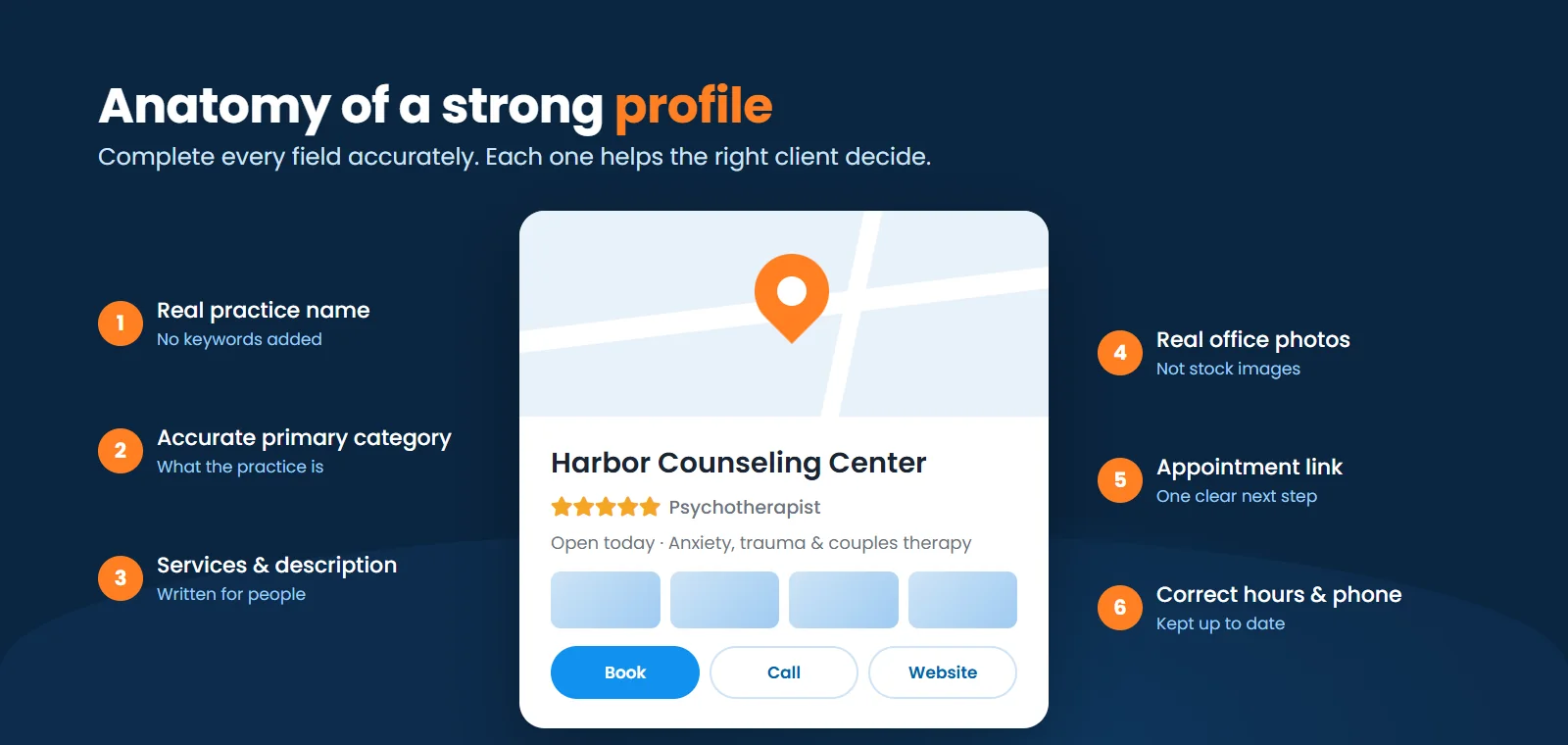
1. Use the real practice name
Enter the name used on the website, signage, business documents, and other public materials.
Do not turn the business name into a list of keywords.
Use:
Harbor Counseling Center
Not:
Harbor Counseling Center | Anxiety, Trauma, EMDR & Couples Therapy in Austin
The second version may look tempting because it contains more search terms, but adding services or locations that are not part of the real business name violates Google’s guidelines.
2. Choose the most accurate primary category
The primary category should describe what the practice is, not every condition it treats.
Depending on the practice, relevant categories may include:
- Psychotherapist
- Counselor
- Psychologist
- Marriage or relationship counselor
- Family counselor
- Mental health clinic
- Mental health service
Choose the closest match as the primary category, then add only genuinely relevant secondary categories.
A solo psychotherapist should not automatically choose “mental health clinic” because the phrase sounds larger or more authoritative. Accuracy matters more than collecting as many categories as possible.
3. Enter the address and service area correctly
If clients visit the office, use the real address and make sure the practice can receive clients there during the listed hours.
If the practice travels to clients, hide the address and select the actual service area. Google says a service area generally should not extend more than about two hours of driving time from the business location, although exceptions can apply.
Do not add an entire state simply because the practice offers telehealth statewide. The service-area feature is intended for businesses that physically travel to customers.
4. Add a local phone number
Use a number answered by the practice or its authorized intake team. The person calling should not have to wonder whether they reached the right office.
If call tracking is used, configure it carefully so the practice’s main number remains associated with the listing and business information stays consistent elsewhere online.
5. Link to the most relevant website page
A solo practice with one location can usually link to its homepage.
A group practice with several locations should link each profile to a dedicated location page. That page should include:
- The office address
- Local phone number
- Therapists working at that location
- Services available there
- Office photos
- Directions or parking information
- A clear contact or scheduling option
Sending every profile to the same generic homepage wastes an opportunity to give both Google and potential clients stronger local information.
6. Complete the services and description
Add the services people are likely to look for, provided the practice actually offers them. Examples may include:
- Anxiety therapy
- Trauma therapy
- EMDR therapy
- Couples counseling
- Therapy for teens
- ADHD therapy
- Grief counseling
- Family therapy
Use the description to explain who the practice helps, what it offers, and where it is located. Write for a person choosing a therapist, not for an algorithm.
A useful description might say:
Harbor Counseling Center provides in-person therapy in Austin for adults, couples, and teens. Our therapists help clients navigate anxiety, trauma, relationship concerns, ADHD, grief, and major life changes. In-person and virtual appointments are available. Contact our team to ask about current openings, fees, and insurance.
Avoid awkward repetition such as “Austin therapist offering Austin therapy for people seeking an Austin counselor.” Google already knows where the office is.
7. Add accurate hours
List the hours when someone can reasonably contact or visit the practice.
If the office is open by appointment only, make that clear where possible. Keep holiday hours updated so someone does not call or arrive expecting the practice to be open.
8. Complete verification
Google chooses which verification methods are available. Depending on the practice, this may involve phone, email, mail, a live video call, or a recorded video.
For video verification, be prepared to show evidence that connects the business to the location, such as:
- Street signs and nearby businesses
- Permanent practice signage
- The office entrance and interior
- Business equipment or marketing materials
- Proof that the person recording is authorized to manage the practice
Do not make major changes to the business name, category, address, and phone number immediately after verification unless they are necessary. A cluster of significant edits can trigger another review.
How to Optimize a Therapist’s Google Business Profile
Creating the profile is only the beginning. Google says local results are mainly influenced by relevance, distance, and prominence.
You cannot control where the person searching is standing, but you can improve how clearly and credibly the practice is represented.
Make the profile complete and consistent
The practice name, address, phone number, hours, and website should be accurate everywhere they appear online.
This includes the practice website, professional directories, social profiles, insurer directories, and major business listings. Small formatting differences are not usually catastrophic, but conflicting phone numbers, old addresses, and different business names create confusion.
Add real photos
Therapy is a trust-based service. Generic stock photos of pebbles and suspiciously happy people in white sweaters do little to show someone what choosing the practice will feel like.
Add useful, current photos such as:
- The building exterior
- Entrance and signage
- Waiting room
- Therapy rooms
- Clinicians and intake team
- Accessibility features
- Parking or arrival instructions
Good photos reduce uncertainty. They help someone recognize the office, understand the environment, and feel more comfortable taking the next step.
Add an appointment link
If the practice offers online scheduling or consultation requests, connect the appropriate booking page. Google allows eligible profiles to add links that help people book appointments.
Do not send visitors through five pages before they can ask for help. The path from the profile to the next step should be obvious.
Publish useful updates
Google Business Profile posts can display announcements, events, images, and practice updates in Search and Maps.
Useful post ideas for therapists include:
- A new therapist accepting clients
- Evening or weekend availability
- A new office location
- A new therapy service
- Insurance or payment updates
- A short introduction to a clinician
- A link to a helpful article from the practice website
Posting consistently can make the profile look current and useful, but it is not a substitute for accurate information, a strong website, or genuine local authority.
Build a stronger local website
A Business Profile does not operate separately from the rest of your online presence.
Google says prominence can be influenced by factors such as links and reviews. A well-structured website also gives the search engine more context about the practice.
For local SEO, create strong pages for the services and locations that matter most. A practice that wants to attract searches for “EMDR therapist in Richmond” should usually have a useful EMDR page connected to a genuine Richmond location, not just the phrase squeezed into its profile description.
You can read our private practice marketing plan for a broader framework covering the website, SEO, advertising, and intake process.
Google Reviews for Therapists Require Extra Care
Reviews can influence both visibility and trust, but therapists cannot use the same review strategy as a restaurant or roofing company.
Google allows businesses to request genuine reviews, but prohibits incentives, pressure, review gating, and selectively asking only people expected to leave positive feedback.
Professional ethics may be more restrictive. The APA Ethics Code says psychologists should not solicit testimonials from current therapy clients or from others vulnerable to undue influence. The current ACA Code also restricts counselors from soliciting testimonials from current clients, former clients, or others vulnerable to undue influence.
Before requesting reviews, therapists should check the rules of their licensing board, professional association, employer, malpractice carrier, and applicable privacy laws.
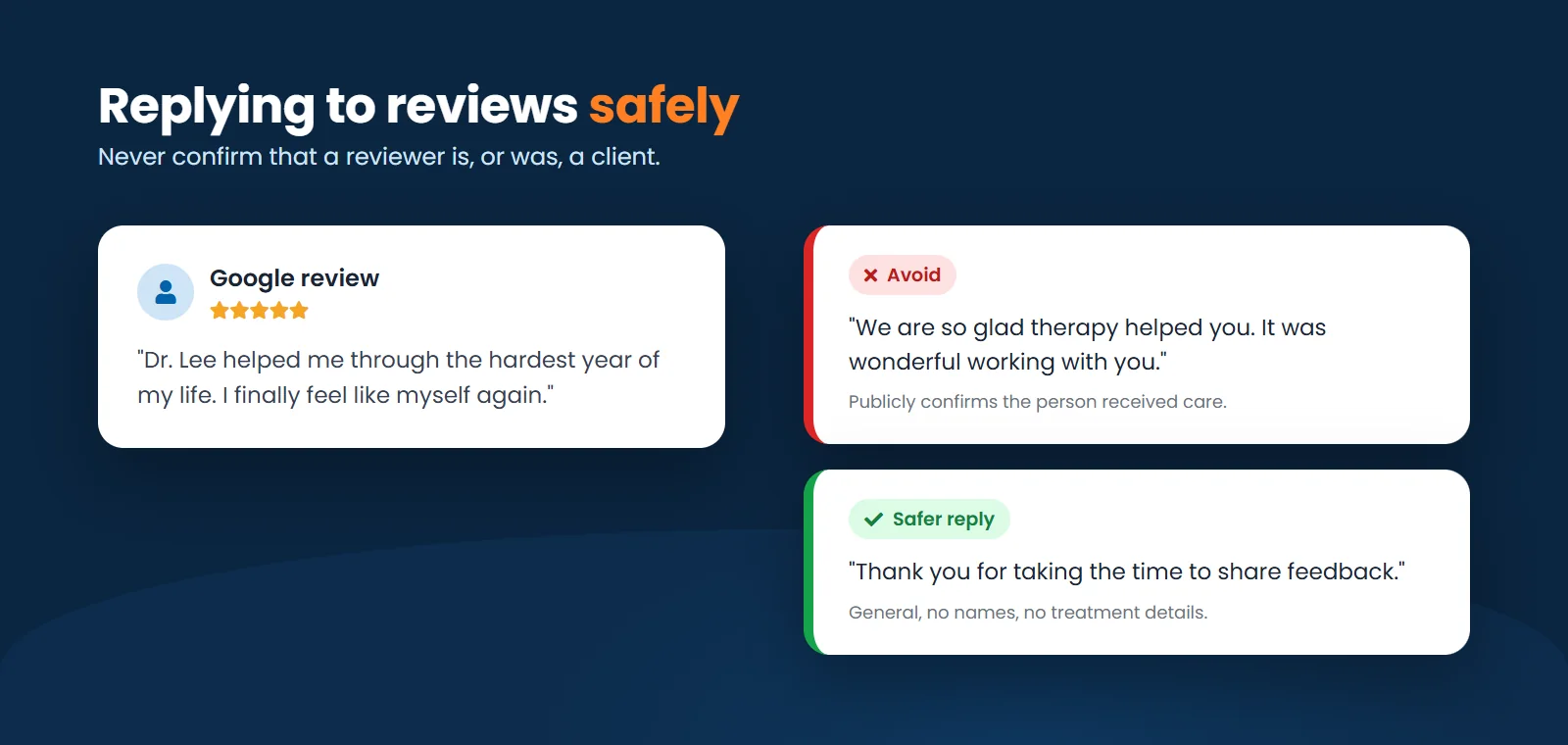
Never confirm that a reviewer is a client
If someone posts a review, their decision to disclose information does not give the practice permission to confirm a therapeutic relationship.
Avoid replies such as:
We are so glad therapy helped you. It was wonderful working with you.
That response publicly confirms that the reviewer received care.
If the practice responds at all, keep it general and do not refer to the person by name, discuss treatment, or address details from the review. A neutral response might be:
Thank you for taking the time to share feedback.
For a negative review, do not argue the clinical facts in public. Move the conversation to an appropriate private process without confirming whether the person was ever a client.
This is one area where a carefully generic response is a feature, not bad customer service.
Group Practices, Multiple Locations, and Practitioner Profiles
Larger practices need a clear structure.
Multiple locations
A practice can generally have a profile for each real location when each office is genuinely operated by the business, appropriately staffed, and able to receive clients during its stated hours.
Each profile should have accurate information and link to its own location page. Do not create listings for cities where the practice only offers telehealth.
Individual therapists inside a group practice
Google allows individual practitioners to have profiles when they are public-facing, have their own client base, and can be contacted directly at the verified location during stated hours.
When several practitioners work at one location, the organization may have its own profile, and eligible practitioners may have separate profiles using only their individual names. A therapist should not create several profiles at the same location to represent different specialties.
More profiles are not automatically better. Before creating practitioner listings, consider who will maintain them, where calls will go, how departures will be handled, and whether each practitioner truly meets Google’s requirements.
Common Google Business Profile Mistakes Therapists Make
The mistakes that cause the most trouble are usually not advanced SEO problems. They are basic accuracy and eligibility problems.
Avoid:
- Creating a profile for a telehealth-only practice
- Using a virtual office or mailbox as a real location
- Adding keywords to the business name
- Creating duplicate profiles
- Listing cities where no eligible physical location exists
- Choosing unrelated categories
- Using old phone numbers or office hours
- Linking every location to the same generic page
- Uploading only stock photos
- Offering incentives for reviews
- Replying to reviews in a way that confirms someone is a client
- Letting an agency become the only owner of the profile
The practice owner should retain ownership and add employees or marketing partners as managers when needed. That prevents a profile from becoming inaccessible when a staff member leaves or a vendor relationship ends.
How to Measure Whether the Profile Is Working
Profile views are encouraging, but they do not tell you whether the listing is producing clients.
Track:
- Calls from the profile
- Website visits
- Appointment-link clicks
- Contact-form submissions
- Which inquiries become consultations
- Which consultations become clients
- Which services and locations generate the strongest inquiries
Google provides profile performance data for verified listings, including views and customer interactions. Combine that data with website analytics, call tracking, and intake records.
The most important question is not, “How many people saw the profile?”
It is:
How many appropriate inquiries and new clients did it help produce?
A Simple Monthly Maintenance Checklist
Once the profile is properly set up, maintenance does not need to become a second job.
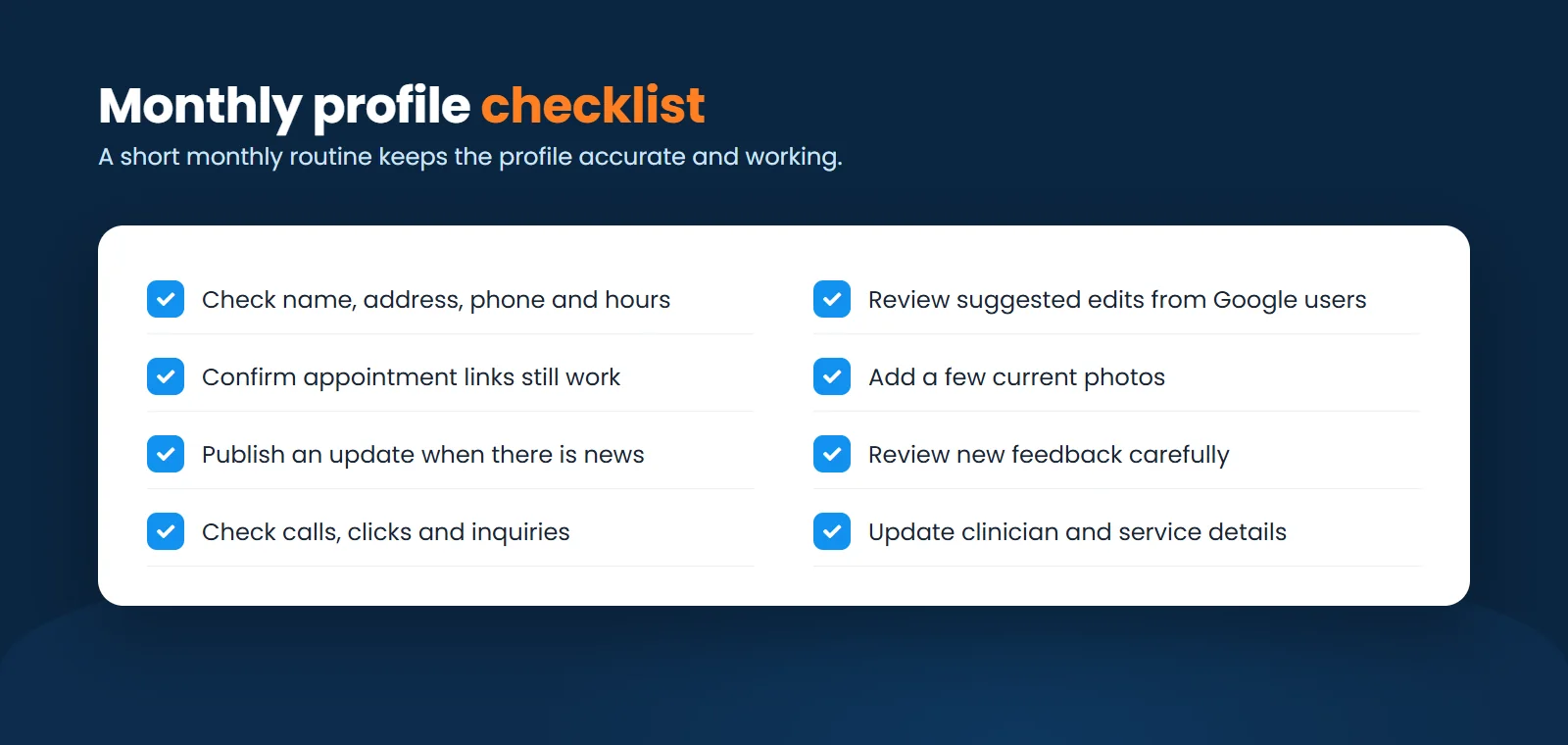
Each month:
- Check the name, address, phone number, website, and hours
- Review any suggested edits from Google users
- Confirm appointment links still work
- Add a few current photos
- Publish an important practice update when there is one
- Review new feedback carefully
- Check calls, clicks, and inquiries
- Update clinician or service information when something changes
For multi-location practices, assign one person to own this process. A profile managed by everyone is often maintained by no one.
Is a Google Business Profile Enough to Fill a Caseload?
Sometimes it can produce meaningful inquiries on its own, especially in a less competitive area. Usually, it works best as part of a larger system.
The profile helps the practice appear locally. The website helps the potential client decide whether the practice feels right. Dedicated service pages create more opportunities to rank. A responsive intake process turns interest into scheduled appointments.
If any one of those pieces is weak, visibility can increase without the caseload changing.
For most therapy practices, the practical order is:
- Confirm that the practice is eligible.
- Create or claim the correct profile.
- Complete every important field accurately.
- Connect it to a useful, conversion-focused website.
- Build local service and location pages.
- Handle reviews within ethical and privacy requirements.
- Track calls and forms through to actual new clients.
That is less exciting than promising a secret Google Maps hack. It is also far more likely to work without getting the profile suspended.
Need Help Improving Your Local Visibility?
A Google Business Profile should make it easier for the right person to find your practice and feel confident contacting you.
If your profile exists but is not generating inquiries, or you are unsure how it fits with your website and local SEO, schedule a free 30-minute strategy session. We will look at how your practice currently appears in local searches and identify the most useful next steps.
Frequently Asked Questions
Is Google Business Profile free for therapists?
Yes. Creating and managing an eligible Google Business Profile is free. You may choose to invest in photography, SEO, advertising, or professional management, but Google does not charge for the profile itself.
Is Google My Business the same as Google Business Profile?
Yes. Google My Business was renamed Google Business Profile. Many therapists still search for and refer to the older name.
Can an online-only therapist create a Google Business Profile?
Generally, no. Google requires eligible businesses to have in-person contact with customers during stated hours and lists online-only businesses as ineligible.
Can a therapist use a home address and keep it private?
Hiding an address is intended for eligible service-area businesses that travel to customers. It does not make a telehealth-only practice eligible. A home-based office where clients visit may qualify, but it must comply with Google’s location requirements.
What is the best Google Business Profile category for a therapist?
It depends on the practice. Common options include Psychotherapist, Counselor, Psychologist, Marriage or relationship counselor, Family counselor, Mental health clinic, and Mental health service. Choose the category that most accurately describes the core business.
Do Google reviews help therapists rank?
Google says review quantity and positive ratings can contribute to local prominence. Therapists must also follow professional ethics, licensing requirements, privacy laws, and Google’s review policies. Never incentivize reviews or respond in a way that confirms a reviewer received care.
How often should therapists post on Google Business Profile?
There is no required schedule. Publish when the practice has something useful to share, such as new availability, a clinician introduction, a new service, or an office update. Accurate information, eligibility, website quality, and local authority matter more than posting for the sake of activity.